The Best Mechanical Keyboards of 2026
We scored the top mechanical keyboards on expert consensus, real-owner sentiment, value, features, and recency — here are our picks.


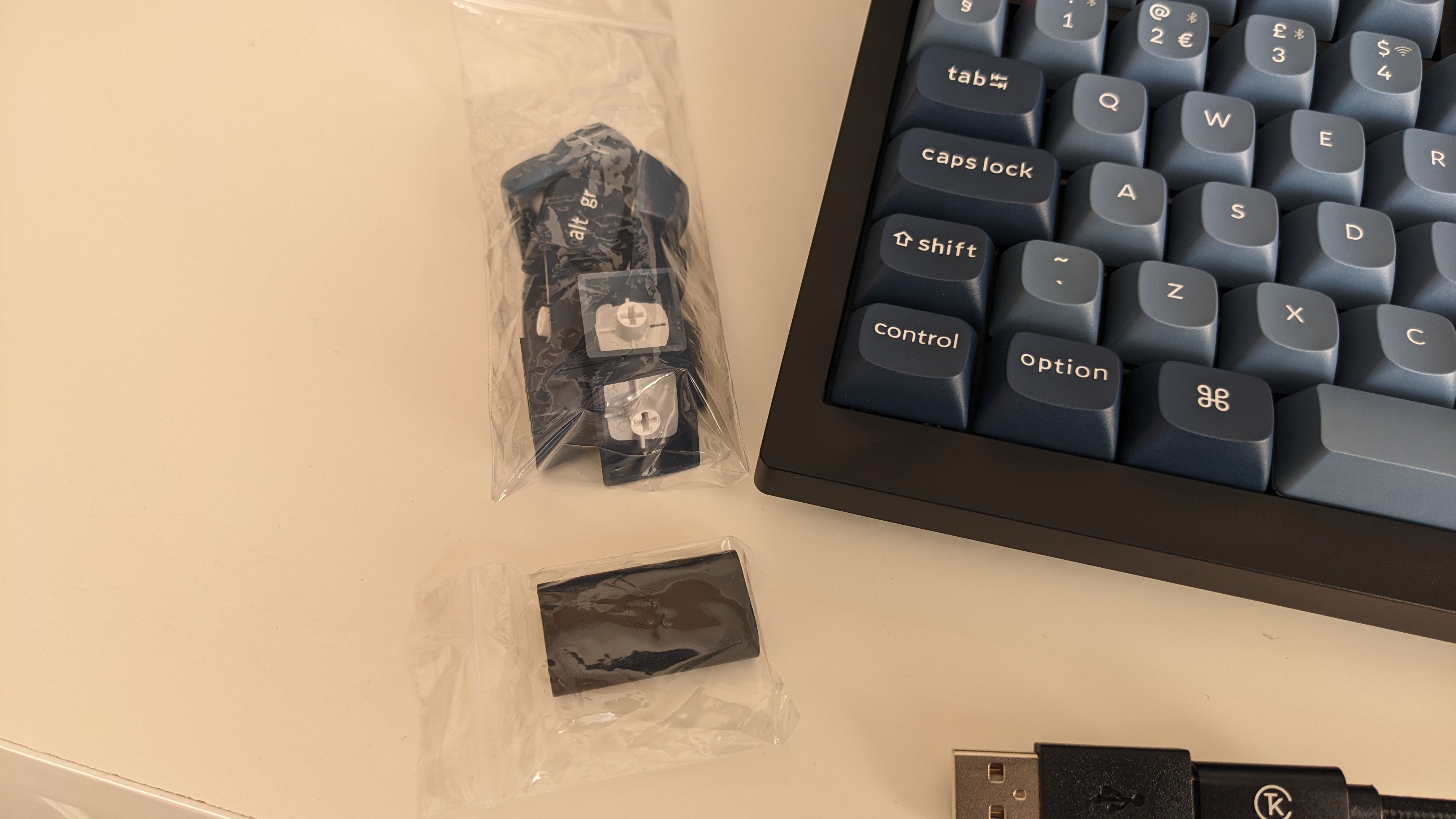
Our Top Picks at a Glance
Keychron V3 Max
Keychron V5 Max
Keychron V6 Max
How the picks compare
| # | Product | Best for | Score | Price | |
|---|---|---|---|---|---|
| 1 | Keychron V3 Max | Best Overall | 4.3/5 | Check price | Check price |
| 2 | Keychron V5 Max | Runner-Up | 4.5/5 | Check price | Check price |
| 3 | Keychron V6 Max | Also Great | 4.4/5 | Check price | Check price |
| 4 |  Evoworks Evo80 Evoworks Evo80 | Also Great | 4.4/5 | Check price | Check price |
| 5 | 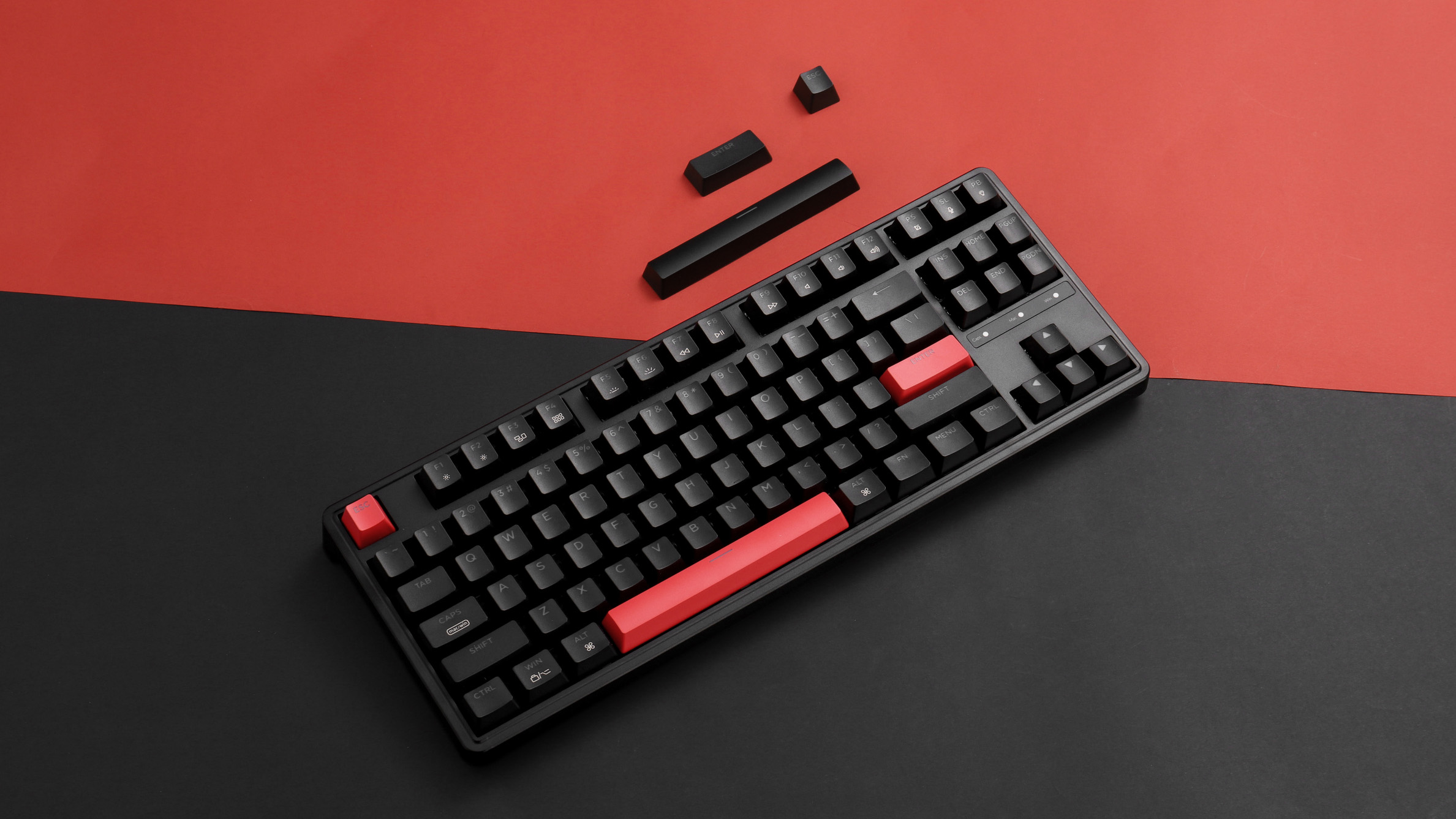 Keychron C3 Pro Keychron C3 Pro | Also Great | 3.9/5 | Check price | Check price |
Keychron V3 Max
- Excellent typing experience with smooth stabilizers
- Hot-swappable switches and full programmability (VIA)
- Wireless connectivity with Bluetooth
- Great value for features offered
- No Hall Effect switches, only mechanical
- Software can be complex for beginners
Our verdict: For most people, the Keychron V3 Max is the smartest buy in this category — strong performance, reliable build quality, and excellent value for the price.
Keychron V5 Max
- Compact 1800 layout includes number pad without wasting space
- Same high-quality typing feel as V3 Max
- Wireless and fully programmable
- Hot-swappable switches and RGB lighting
- Non-standard layout may take time to adjust to
- Plastic construction not as premium as aluminum
- No available knob version
Keychron V6 Max
- Full-size layout with dedicated number pad
- Satisfying typing experience with smooth stabilizers
- Wireless, hot-swappable, and programmable
- Good value for a full-featured mechanical keyboard
- Large footprint takes up significant desk space
- Plastic case lacks premium feel
- Some users report mushy key feel on certain switches
Evoworks Evo80
- Superior typing experience with premium aluminum case and sound dampening
- Hot-swappable, fully programmable with VIA
- Comes with carrying case and high-quality PBT keycaps
- Easy to open for modifications without tools
- Expensive compared to Keychron V-series
- No volume knob
- Limited color options may not appeal to all
Keychron C3 Pro
- Best typing experience under $50
- Full programmability via VIA/Keychron Launcher
- Solid build quality for the price
- Base model lacks hot-swappable switches
- Only red backlight on base model (no RGB)
- ABS keycaps feel cheap and wear out faster
- No wireless connectivity
Why trust us on mechanical keyboards in 2026?
The market is flooded with options ranging from $30 knockoffs to $600 customs, and the gap between what looks good online and what actually feels good to type on is wider than ever. This guide is for anyone who wants a keyboard that genuinely improves their daily computing—whether you're a writer, programmer, or gamer—without wasting money on flashy features you'll never use.
How we picked
We cross-referenced in-depth expert breakdowns of switch feel, stabilizer performance, and build quality with thousands of owner reviews across enthusiast communities. Each keyboard was scored on five weighted criteria: expert consensus (35%), owner sentiment (25%), value for money (15%), build and features (15%), and how current the design and technology remain in 2026 (10%).
What to look for
What owners say
Across thousands of reviews, Keychron owners consistently highlight the brand's build quality, customization options, and value—especially for first-time mechanical keyboard buyers. The most common real complaint involves quality control: sticky switches, double-registering keys, and inconsistent factory lubrication on budget models. Owners also note that the non-hot-swap versions of cheaper boards can feel like a trap once you realize you want different switches.
How we scored
Expert consensus contributed 35% of the final score, measuring what professional reviewers agreed on about feel, features, and reliability. Owner sentiment made up 25%, capturing real-world satisfaction after months of use. Value for money (15%) weighed features and build against price. Build and features (15%) accounted for materials, connectivity options, and programmability. How current (10%) ensured the design and technology feel relevant in 2026.
FAQ
Are expensive mechanical keyboards worth it for typing?
For heavy daily typing, a quality board with pre-lubed stabilizers and decent keycaps will improve comfort and reduce finger fatigue. The jump from a budget board to a $100 Keychron is enormous; the jump from $100 to $300 offers smaller returns unless you care about sound and aesthetics.
Can I use a mechanical keyboard for gaming?
Yes—most mechanical keyboards work well for gaming, especially with linear switches (Red) for fast keystrokes. Wireless 2.4 GHz is fine for competitive play, but Bluetooth can introduce noticeable input lag.
How long do mechanical keyboards last?
With proper care, a good mechanical keyboard can last 5–10 years or longer. Switches are rated for tens of millions of keystrokes, and hot-swappable boards let you replace individual switches if one fails.
The verdict
The Keychron V3 Max is our top pick because it delivers a near-perfect balance of typing quality, features, and price in a TKL layout—no compromises that matter. If you need a number pad, the V5 Max packs one into a compact 1800 frame without wasting desk space, while the Evoworks Evo80 is for enthusiasts willing to pay triple for aluminum build and exceptional sound damping. Budget buyers should start with the Keychron C3 Pro and immediately upgrade to the hot-swap version.
More Buying Guides
View allThe Best Magnetic Car Phone Mount of 2026
We scored the top magnetic car phone mount on expert consensus, real-owner sentiment, value, features, and recency — here are our picks.
Read guide AutoThe Best Jump Starter With Air Compressor of 2026
We scored the top jump starter with air compressor on expert consensus, real-owner sentiment, value, features, and recency — here are our picks.
Read guide AutoThe Best Portable Air Compressor For Car Tires of 2026
We scored the top portable air compressor for car tires on expert consensus, real-owner sentiment, value, features, and recency — here are our picks.
Read guide